Interior Design Software
ideal for designing commercial spaces
and industrial kitchens
The most powerful 2D and 3D interior design programs for planning restaurants and cafes.
What is Autodecco design software?
Autodecco is the interior design software that will elevate your projects to a professional level, instilling greater confidence and streamlining your clients’ decision-making process.
An interior design software
tailored to your needs
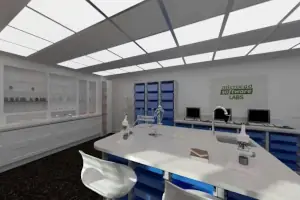
Commercial space design
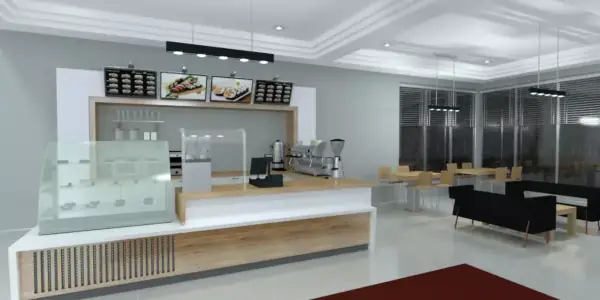
Create any commercial space style effortlessly, and seamlessly match any manufacturer you prefer with Autodecco. Our interior design software offers unparalleled customization options, making it the ideal design tool for professional designers like you. With top-notch 3D renders and immersive Virtual Reality walkthroughs, your customers can see their commercial space come to life.

Architectural and design firms
Autodecco goes beyond a mere interior planner, offering maximum compatibility by enabling you to import and utilize DWG floor plans seamlessly. With extensive libraries and the flexibility to insert JPEGS for materials or SketchUp® blocks, design any space effortlessly. Impress clients with high-quality 3D renders and 360 panoramas.
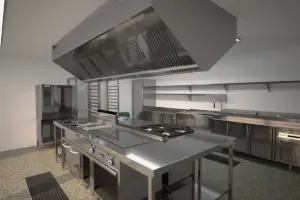
Food Service
Industry
Autodecco is your ultimate solution for commercial kitchen design, offering unparalleled compatibility and customization. Seamlessly import and utilize DWG floor plans to create precise designs tailored to your clients’ needs. Integrate JPEGS for materials or SketchUp® blocks to craft versatile layouts. Experience the best 3D rendering capabilities on the market and bring your commercial kitchen project to life like never before.
20+
catalogs from leading manufacturers of food service and catering equipment.
1.000+
generic catalog references for cooking, refrigeration, washing, shelving, and worktables.
400+
objects for designing bars and restaurant dining areas.
5.500+
materials for countertops, textures, paints, flooring, tiles, woods, glass…
1.500+
equipment for production grouped into modules in line 600, 650, 700, 900, and 1100.
3.000+
decorative accessories and kitchen utensils, furniture, lamps, spotlights, and more.
Accessories Library Editor
When you buy our interior design programs Autodeco Pro or Autodeco 365, there is an additional tool for creating and maintaining object catalogs using AutoCAD® blocks.
Purchase options for our restaurants and cafeterias design programs

Autodecco Pro
Buy the perpetual license for the most powerful interior design software including manufacturer catalogs for materials and appliances. Optional subscription service.

Autodecco 365
Subscription version for the most powerful commercial kitchen design program with extensive catalogs. It includes the subscription service.

Accessories Library Editor
Keep your catalogs up to date with AutoCAD® blocks. Included in both versions Autodecco Pro and 365.
Commercial kitchen industry leaders trust us









What do interior designers and decorators say about us?
News
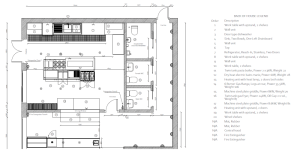
Industrial Kitchen Design: Optimizing Workspace
The design of an industrial kitchen must ensure efficiency, functionality, and safety…
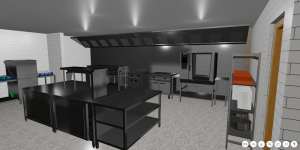
Virtual Tours: The Revolution in Project Visualization
The advancement of technology has revolutionized the way interior design projects are…
Welcome to the new www.autodecco.com website
After a long process of design and development, we are thrilled to…